

WordPress version: 6.0 or higher
Before You Start
Make sure you have:- A WordPress website (version 6.0+)
- Administrator access to WordPress
Step 1: Download the Plugin
- Download the plugin from Localizer → Integrations → WordPress
- In WordPress admin, go to Plugins → Add New → Upload Plugin
- Choose the downloaded
.zipfile - Click Install Now
- Click Activate
Step 2: Verify Installation
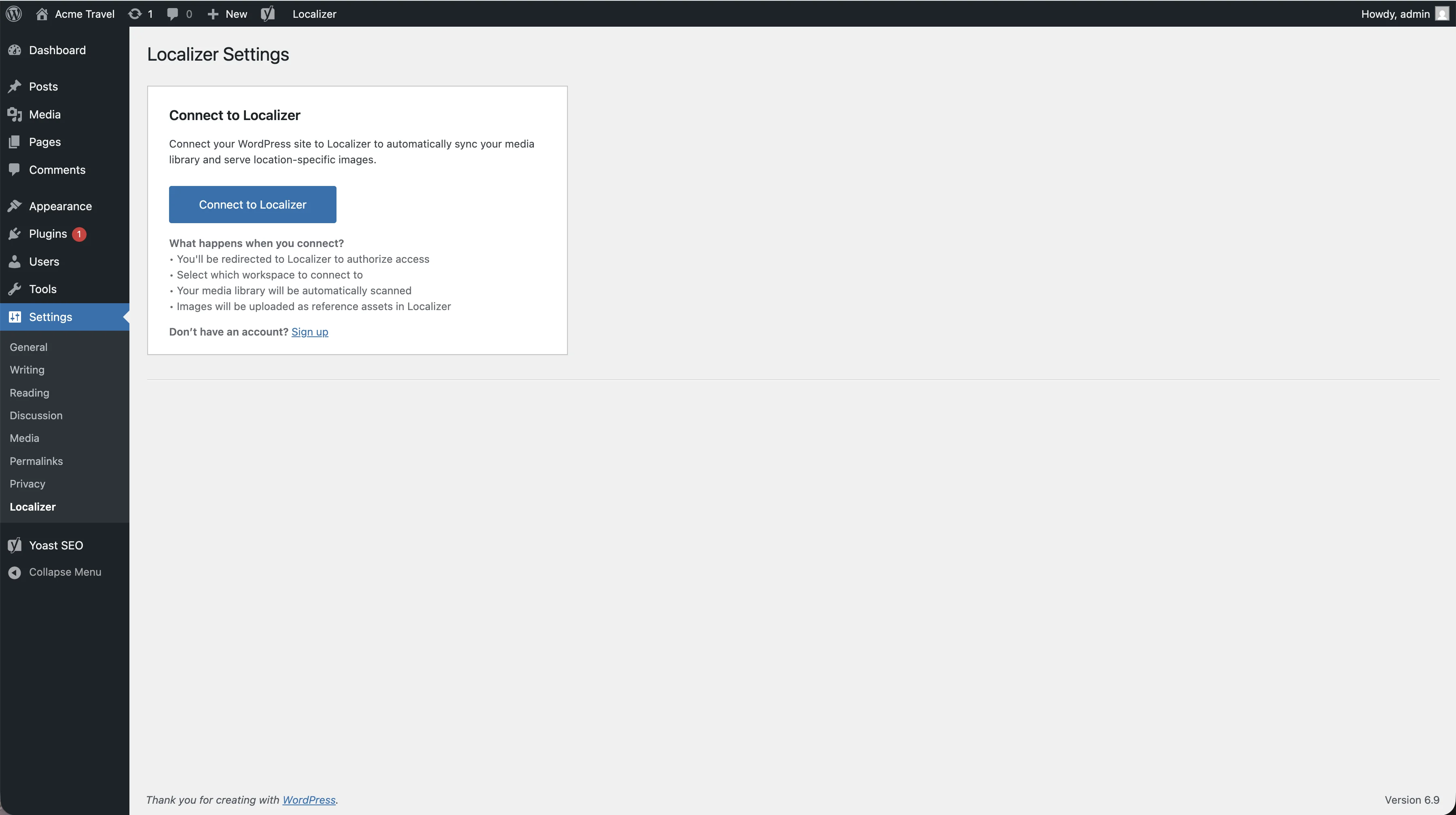
After activation:- Go to Settings → Localizer in WordPress admin
- You should see the Localizer settings page with a “Connect to Localizer” button
System Requirements
| Requirement | Minimum | Recommended |
|---|---|---|
| WordPress | 6.0 | Latest version |
| PHP | 7.4 | 8.0+ |
| MySQL | 5.6 | 5.7+ |
Troubleshooting
Settings page doesn't appear
Settings page doesn't appear
- Deactivate and reactivate the plugin
- Clear any caching plugins
- Verify you have administrator permissions
Next Step
Connect to Localizer
Connect your WordPress site to your Localizer account →